
JioDive is an affordable VR headset to enjoy IPL matches in a 360-degree experience | Technology News

Jio has announced its first-ever Virtual Reality headset – JioDive, which is now available for purchase on JioMart for Rs 1,299. Available exclusively for Jio users, the company says the JioDive VR headset lets you watch TATA IPL on JioCinema in an immersive 360-degree view on a 100-inch virtual screen.
Compatible with both Android and iOS devices with screen sizes between 4.7and 6.7-inches, the VR headset makes use of the smartphone’s gyroscope and accelerometer and requires users to install the JioImmerse app. It comes with adjustable lenses with center and side wheels that lets users ‘make the image sharper and optical comfort’.

You also get a click button that helps navigate the interface when wearing the headset and a three-way adjustable strap and a breathable face cushion for extended comfortable usage.
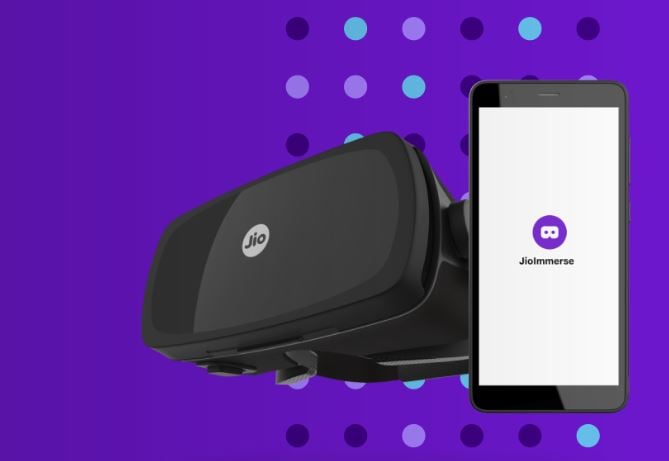 You can also enjoy games and other VR content. (Image Source: Reliance Jio)
How do VR headsets work?
Virtual Reality headsets like JioDive work by positioning two lenses in your front of your phone’s screen. Whenever a scene is projected on the screen, the left and right side of the headset gives a different image for each eye, which results in a 3D view. The headset also uses the phone’s gyroscope and accelerometer sensors to determine user movements and show different parts of the image or video.
How do I set up JioDive?
To start using JioDive, scan the QR code on the box of the headset and install the JioImmerse app. Ensure you are connected to a Jio network and log in to the app.
Here, select JioDive and choose the ‘Watch on JioDive’ option. Open the front cover on the headset and position your phone between the support clip and lenses. Now, wear JioDive, adjust the straps and the picture quality and you are good to go.
Apart from watching IPL on a big screen, JioDive can also be used to consume virtual reality content and play games on a big screen. Keep in mind that you need to be on a Jio 4G, 5G or JioFiber network to use the JioImmerse app.
© IE Online Media Services Pvt Ltd