
This Gadget Belongs in Every Suitcase
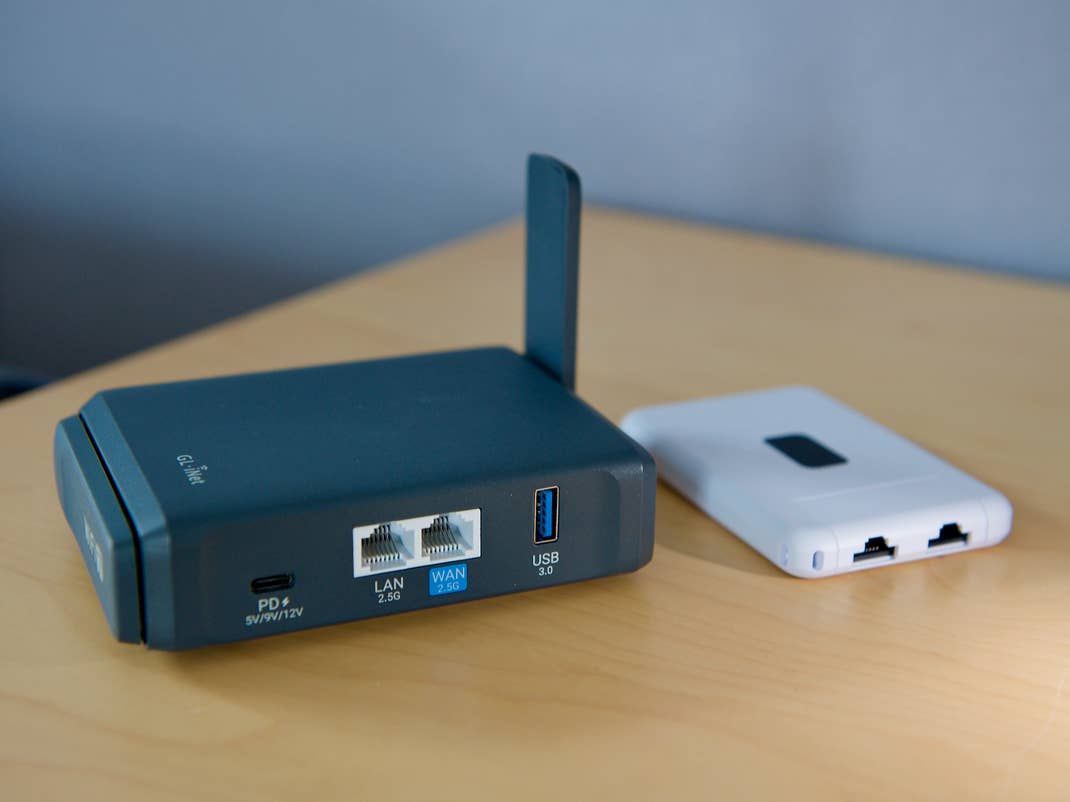
For some years now, so-called travel routers have been trying to make traveling easier. We explain what these devices can do and why they can be a good investment not only on your next vacation, but also on business trips.
You’re on vacation and arrive at the hotel. What is one of the very first things you do? You look around and settle in. Another step, especially when abroad? Connecting your smartphone, notebook, and perhaps even a tablet to the internet via the hotel network. If you are traveling with others and have to do this for your partner or children, you will quickly spend the next hour doing nothing else. On top of that, the hotel may charge you for connecting so many devices. But wait, there is an easier way!
When is a Travel Router Useful?
When traveling, some things are always repetitive and can be made easier with the help of technology. It is becoming increasingly common to have more than one smartphone with you to connect to the Wi-Fi network upon arrival at the hotel. While on the plane, you often can and want to stay online, encountering different restrictions there.
To simplify the process of connecting all your devices to a new Wi-Fi network, so-called travel routers have been around for quite some time. These are not to be confused with mobile hotspots. However, there are also travel routers that can be equipped directly with a SIM card or eSIM. This effectively combines both functions.
However, this article is only about relatively affordable routers that accompany your travels. The aim of these often very compact devices is the requirement of connecting to the new network once. Connection between your devices and the travel router will always remain the same, subsequently. You will gain new features that can make traveling more convenient simultaneously.

The travel routers from GL.iNet and Ubiquiti offer various connection options. They are some of the most popular brands in this industry in Germany.
Setting Up Before Your Maiden Trip
After unpacking the router, you usually set up a new Wi-Fi network. It is just like doing so at home, except that this is only for on-the-go. In the future, you will use the new network to connect your smartphone, tablet, or PC to the travel router.
The great thing about this? You can set up this Wi-Fi connection on all your devices in advance. You can also share it with the entire family so they can also go online as soon as you arrive at your destination. If your devices recognize the known network, they will connect automatically.
This eliminates the hassle of connecting to the hotel Wi-Fi for each individual device. This step is only carried out once, when the Travel Router is first configured in the hotel. The exact steps may vary, depending on the network to be connected.
As a rule, you plug the router into the socket and ensure that your smartphone is connected to the known router’s Wi-Fi network. From there, head to the router settings — usually a web interface — and select the internet connection. Normally, this is the hotel’s Wi-Fi. If the hotel requires you to log in to the hotel network, the input screen usually appears automatically on your smartphone within a short time. After this one-time login, all your devices that were previously connected to your router are also automatically online.

Additional Advantages of a Travel Router
In addition to making it much easier to go online, a travel router connected this way offers you other advantages. Depending on the hotel or airline’s internet, operators may only allow access to a limited number of connected devices. If you want to hook up more devices, you may have to pay extra. You can often get around this limitation using your own router.
If you are traveling with children, you can also define when it is time to sleep courtesy of timers. This means you can use the travel router to define the time at which the internet is no longer available for selected devices. You can also activate filters to block apps, games, or visits to certain websites.
Many travel routers also allow you to set up a VPN. The router itself can, therefore, increase security without having you to keep an eye on every single device. For tech-savvy users, features such as tailscale are also becoming increasingly common. This allows all your devices to work as if you were at home. This also works in combination with a FritzBox, for instance. If necessary, you can also use it to bypass internet blocks or access content abroad that normally requires you to be at home.

Extensive Connection Options
As mentioned, a travel router can connect to more than just the internet via a Wi-Fi network. Many models also offer one or more Ethernet ports, which you can use to go online via a wired connection. There is often also a USB port to connect a smartphone. This allows you to use your smartphone as a wired hotspot on the travel router.
Some high-end models also offer a built-in battery, ultra-fast connections thanks to the Wi-Fi 7 standard in the 2.4, 5, and 6 GHz bands, and support for multiple SIM cards and eSIMs. Ethernet ports with 2.5 Gbit/s or even connections for external antennas can also be found.
A Travel Router is a Useful Addition to Your Luggage
With all these features, travel routers are a good idea for any traveler who is on the move with several devices. Thanks to their often very compact size, they fit into any suitcase. In terms of price, they don’t necessarily tear a big hole in your wallet either. Some models are available for less than £40. Depending on the features and performance, however, it can be significantly more expensive.
